

Last year i wrote a blogpost about how to get all the powershell scripts used as detection methods and since then i have refined that script a bit and also added logic for it to now output any detection method using scripts regardless if its Powershell, VBScript or Javascript.
I hope this can be useful to someone out there in cyberspace.
The Script
<#
	.NOTES
	===========================================================================
	 Created on:   	12/06/2016
	 Modified on:   3/31/2017
	 Created by:   	Timmy Andersson
	 Contact: 		@Timmyitdotcom
	===========================================================================
	.DESCRIPTION
		Retreives and outputs scripts used by detection methods.
#>
[CmdletBinding(DefaultParameterSetName = 'DestinationPath')]
param
(
[Parameter(Mandatory = $true,
Position = 1)]
$DestinationPath
)

BEGIN
{
[String]$Filepath = $DestinationPath

$SiteCodeObjs = Get-WmiObject -Namespace "root\SMS" -Class SMS_ProviderLocation -ComputerName $env:COMPUTERNAME -ErrorAction Stop
foreach ($SiteCodeObj in $SiteCodeObjs)
{
if ($SiteCodeObj.ProviderForLocalSite -eq $true)
{
$SiteCode = $SiteCodeObj.SiteCode
}
}
$SitePath = $SiteCode + ":"

Import-module ($Env:SMS_ADMIN_UI_PATH.Substring(0, $Env:SMS_ADMIN_UI_PATH.Length - 5) + '\ConfigurationManager.psd1')

}
PROCESS
{
if (-not (Test-Path $DestinationPath))
{
new-item -Path $DestinationPath -ItemType Directory -Force
}

Set-location $SitePath

$Apps = (Get-CMApplication)
foreach ($App in $Apps)
{

$Script = ([Microsoft.ConfigurationManagement.ApplicationManagement.Serialization.SccmSerializer]::DeserializeFromString($App.SDMPackageXML)).DeploymentTypes[0].Installer
if ($Script.DetectionScript -ne $Null)
{
$PSscript = ([Microsoft.ConfigurationManagement.ApplicationManagement.Serialization.SccmSerializer]::DeserializeFromString($App.SDMPackageXML)).DeploymentTypes[0].Installer.DetectionScript

Switch ($PSscript.Language)
{
"PowerShell" { Out-File -FilePath "$Filepath$($App.LocalizedDisplayName).ps1" -InputObject $PSscript.Text }
"VBScript" { Out-File -FilePath "$Filepath$($App.LocalizedDisplayName).vbs" -InputObject $PSscript.Text }
"JavaScript" { Out-File -FilePath "$Filepath$($App.LocalizedDisplayName).JS" -InputObject $PSscript.Text }
}

}

}

}
END
{
}
Example
You need to run script locally from your siteserver.
get-DetectionMethodScripts.ps1 -DestinationPath "C:\temp\scripts\"


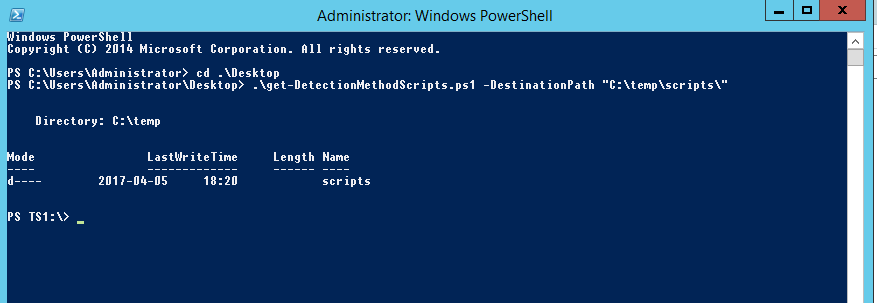
and it will output all the detection methods that uses scripts to that folder. One for each application and names the file after the application.

Until next time, cheers !
You can find me over at
[twitter-follow screen_name=’Timmyitdotcom’]